Stop guessing.
Lumo is one system for running your whole business: sales, stock, invoices, team and money.
The till, the spreadsheet, the invoice app, the schedule screenshot in the group and the accountant’s folder: retired.
private beta · no card, no commitment
Rather see it first? Book a demoYou pay for six systems. None of them talk.
The problem isn’t any one of them — it’s what lives between them.
Every seam between tools is retyping and a number that doesn’t match. You pay five subscriptions to keep checking everything by hand.
Six things become one.
Five subscriptions become one.
Zero diverging numbers.
Every question with an answer on screen.
Pick what you do. From here down, this page shows only the Lumo you would use — your questions, answered on your screens.
11 modules. You switch on only yours.
- Point of sale
- Quotes & sales pipeline
- Inventory
- Recipes / Bill of materials
- Multi-location
- NFe (Brazilian electronic invoice)
- Appointments
- Documents
- HR & Time
- Accounting
- Market prices
5 on by default · 6 there when you need them
Switching a module off removes its screens from the menu, the dashboards and search — and never deletes a record.
Selling
what comes inHow much came in today?
Adding up the card reader and the notebook at closing time.
Stocking
what leaves the shelfWhat is running out?
Looking at the shelf and hoping to remember.
What does each item cost to make?
A number from two years ago, pasted into a spreadsheet.
Am I overpaying for supplies?
With no benchmark — the price is whatever the supplier said.
Team
who makes it happenWho works tomorrow?
Posting a screenshot of the schedule in the WhatsApp group.
Who actually clocked in?
Trusting the handwritten note — and good faith.
Money
what is left, and where it goesDid the sale become an invoice?
Retyping them one by one into the accountant’s app.
What is due this week?
Remembering the day the bill is due. Or after.
Where did the money go?
Finding out at month end, when it is too late to change it.
Does the statement match the system?
Checking the bank app against the spreadsheet, line by line.
Illustrative figures from the demo environment — not customer data.
The screens you will use
configured for: Coffee shop / Café / Restaurantchange
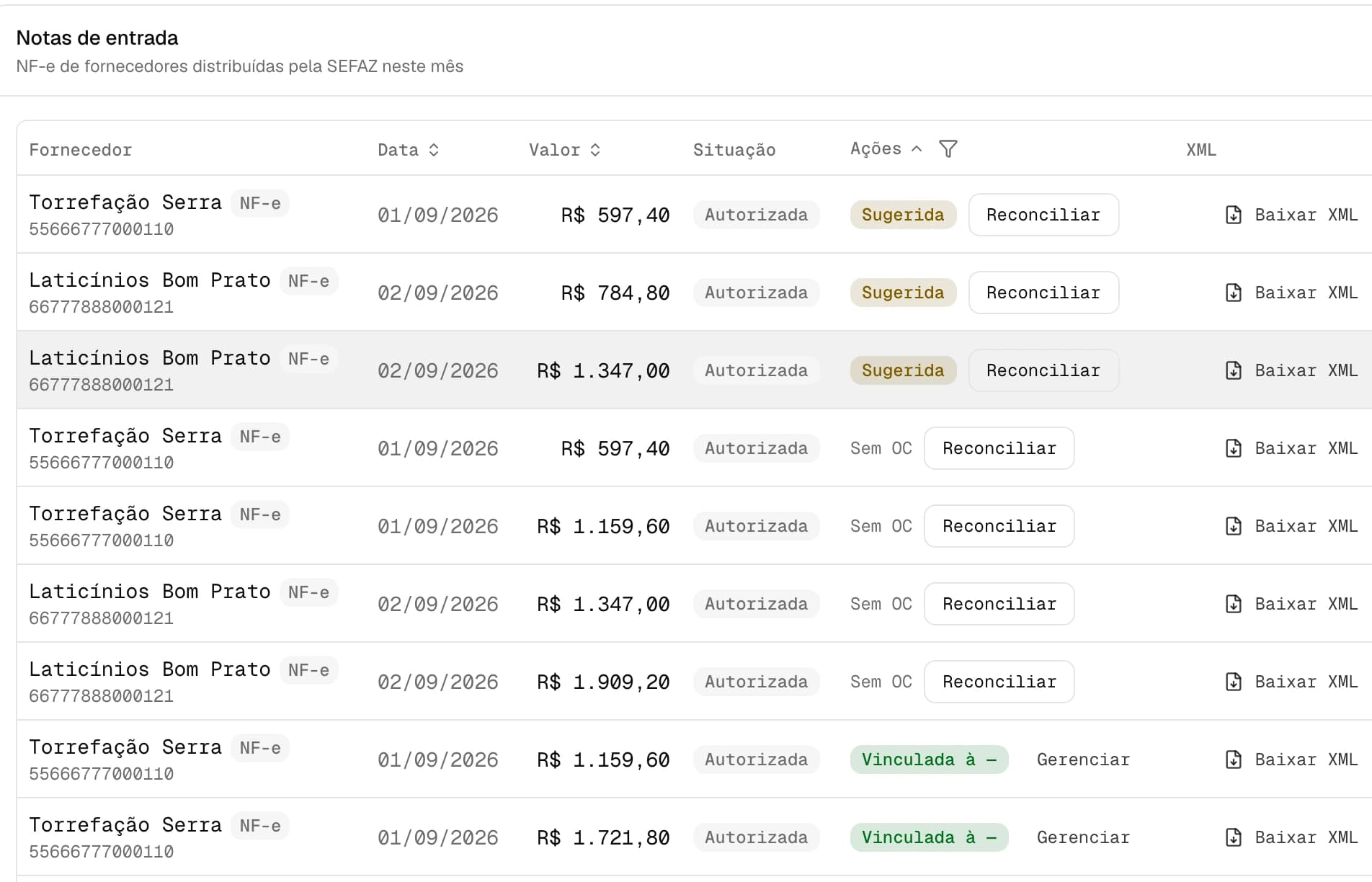
The sale becomes the invoice. The month becomes a package.
NF-e and NFC-e authorized by SEFAZ straight from the sale. At month end the accountant gets an organised package, not a box of paper.
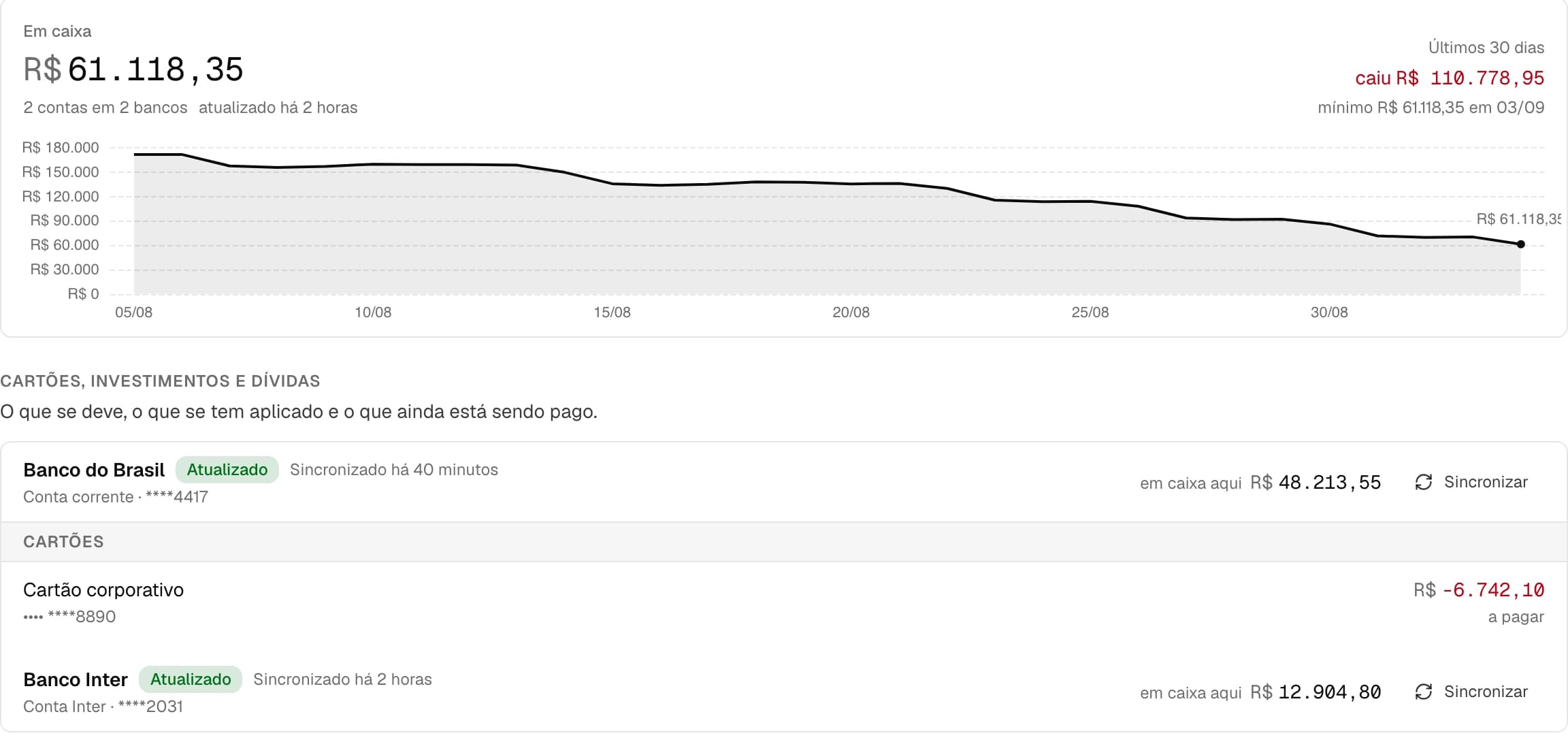
The money that came in, and where from.
Connect the banks over Open Finance and see balance, card and every movement — with what still needs reconciling kept apart from what already matches.
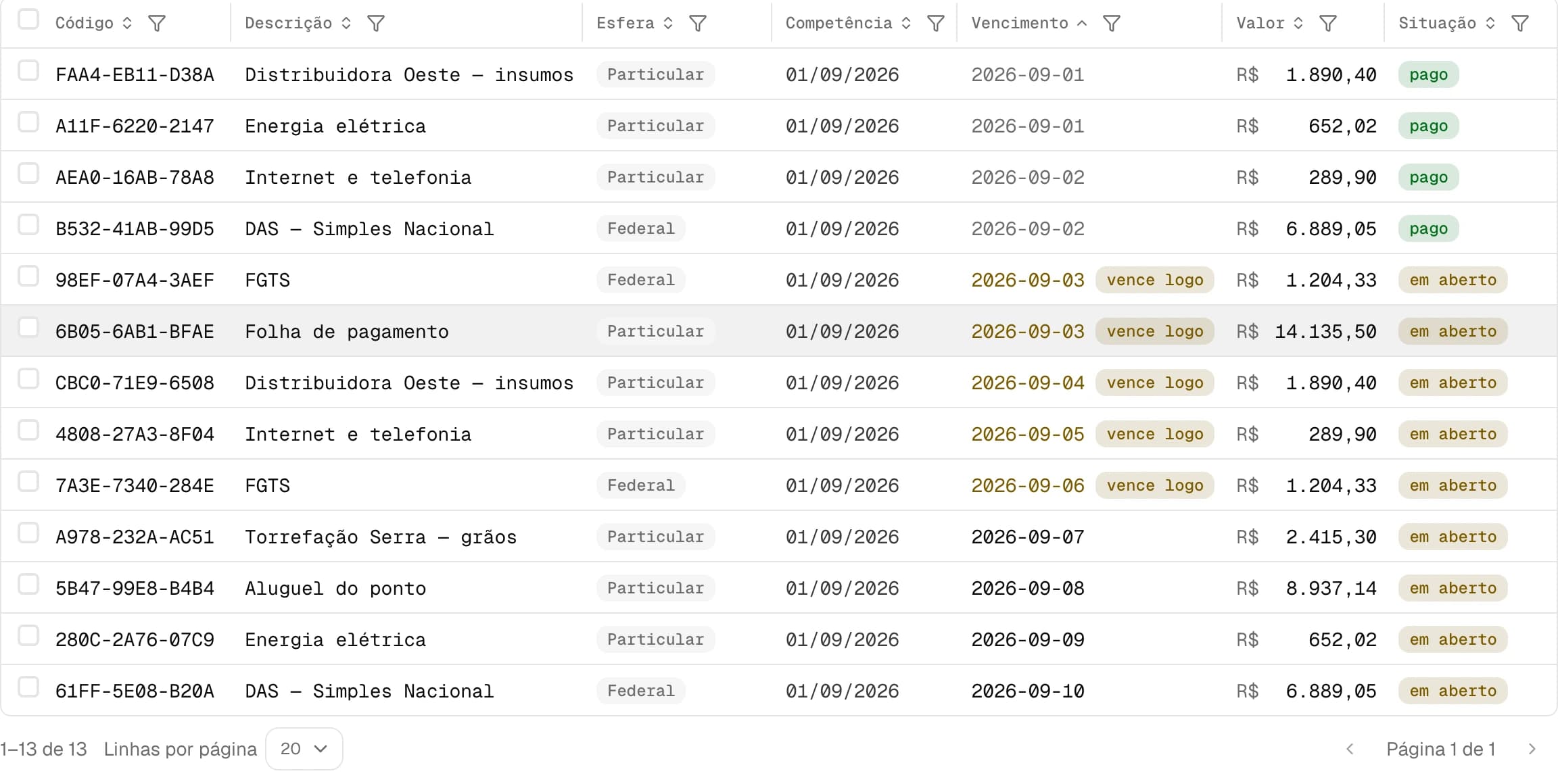
What is due this week, before it is due.
Bills, taxes and payroll become payables with a date and an amount. What is already paid gets out of the way.
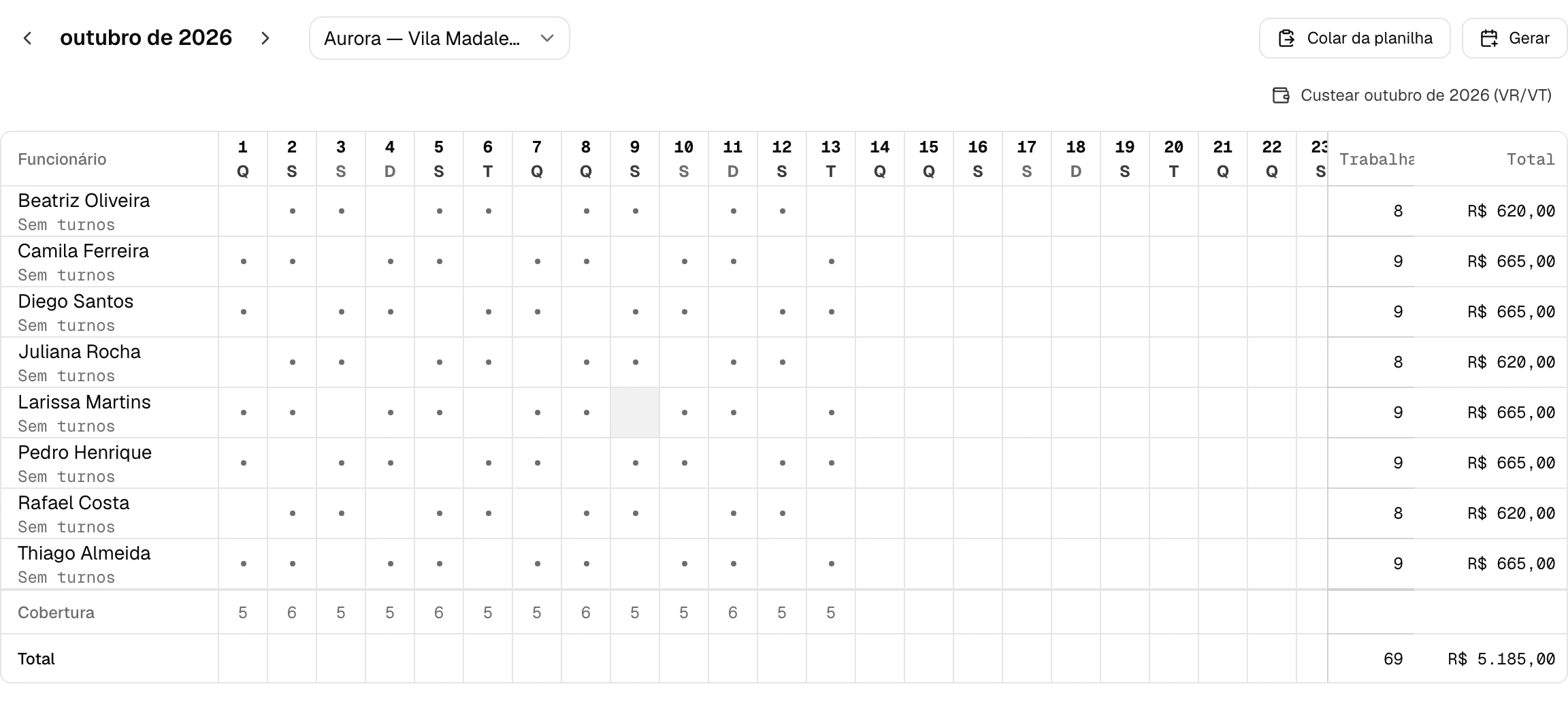
Build the month and see the meal/transit benefit before you commit.
The whole schedule in one grid: who works, how many days, and the benefit that generates — calculated as you build it.
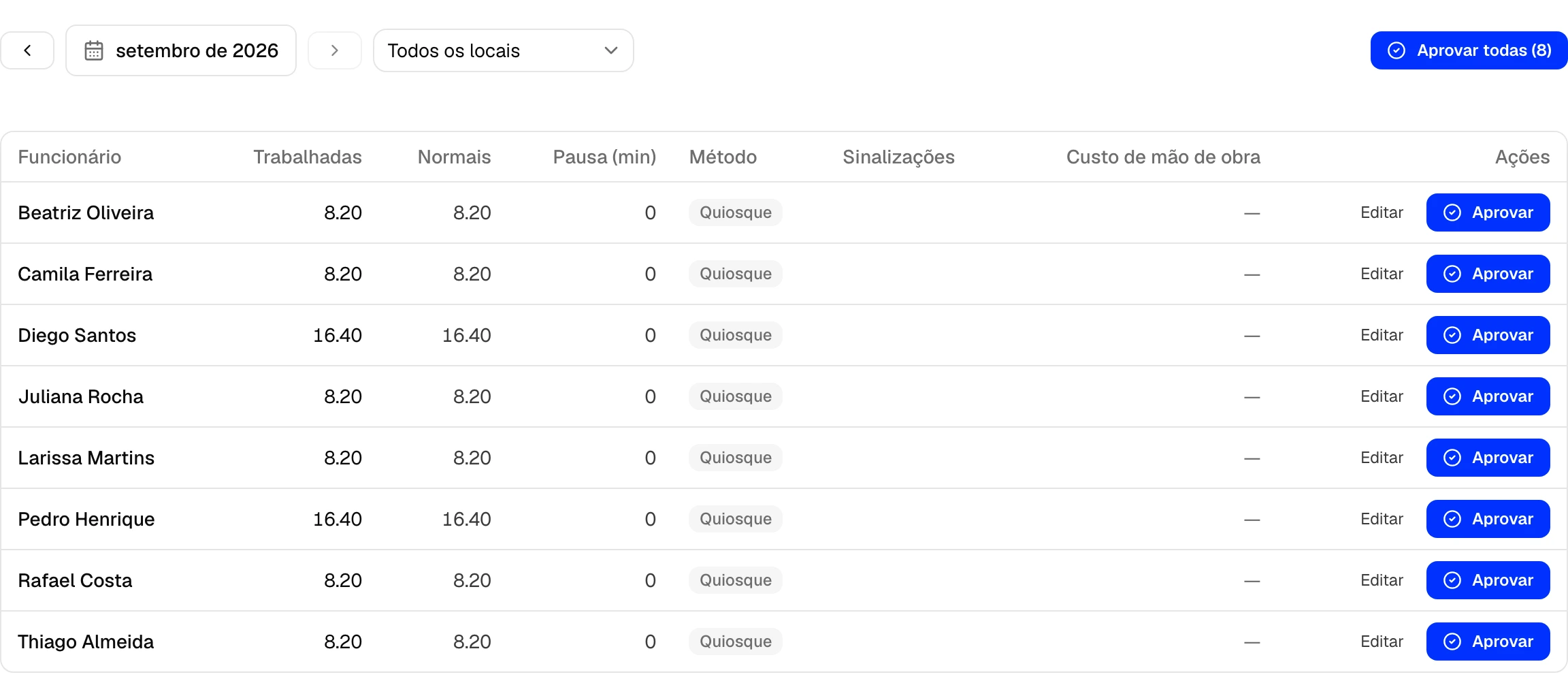
Who clocked in, where, and what it came to.
A kiosk with a PIN and a geofence. The month’s hours arrive ready to approve — and a punch outside the site shows up flagged.
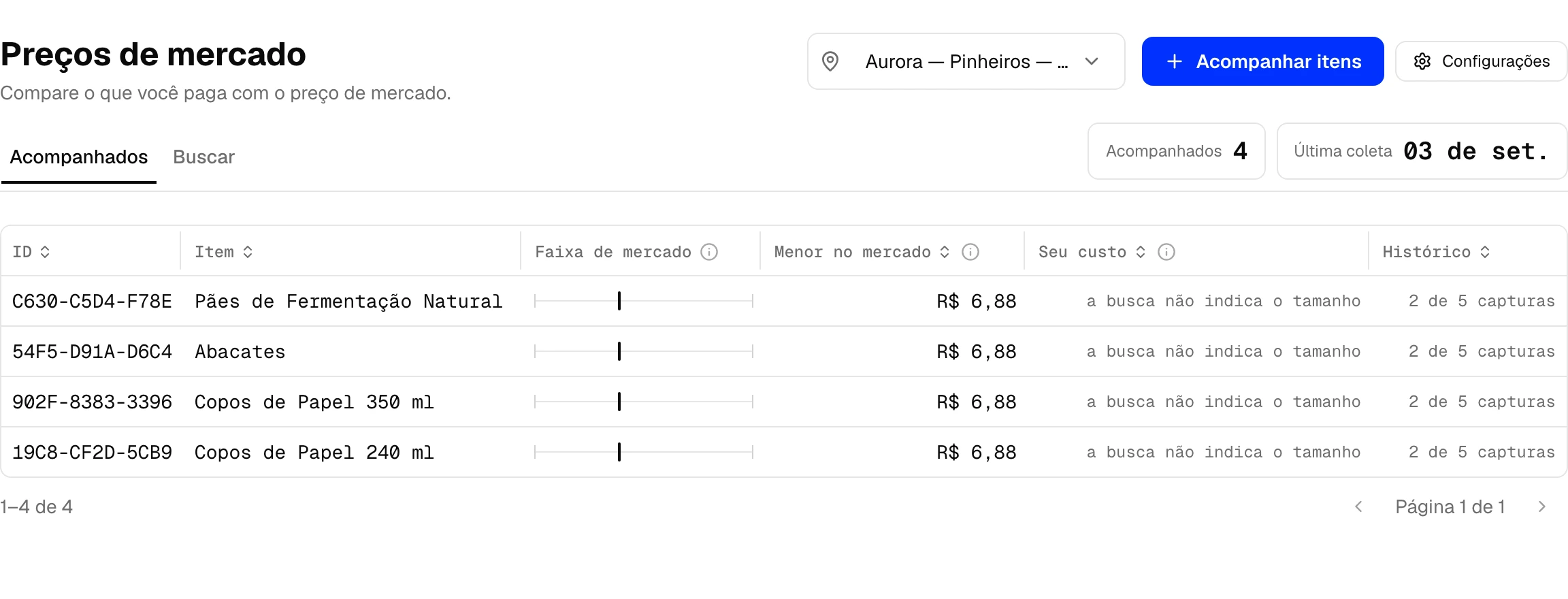
Your cost, against the market price.
Lumo follows the price of the supplies you buy most and shows you when what you pay has drifted away from the market.
What Lumo does on its own.
None of this is a promise. It is what already runs every day in a real business.
True for any business
The PDF your accountant sends becomes a bill to pay.
Every month brings a pile of slips, tax forms and levies, and someone types them all in by hand. Drop the file into Lumo and it reads the amount, the due date and the month it belongs to. The bill arrives already booked.
Mark it paid and the cash entry is already written.
Normally paying is one job and recording that you paid is another, done days later from memory. Here one click settles the bill and writes the cash entry linked to it — without counting the same money twice.
Each payslip becomes its own bill, named for the person it pays.
Payroll usually collapses into a single number, and by month end nobody knows whose share was whose. Lumo opens one bill per person, tied to their record. The month’s payroll cost corrects itself.
Your bank statement arrives on its own, every hour.
Nobody enjoys downloading statement files or copying lines out of online banking. Connect the bank through Open Finance and the movements appear. Reconciling stays yours: Lumo proposes the match, you confirm. Brazil only, for now.
Ask on WhatsApp and get the number back.
“How much do I owe this week?” The answer arrives in the same place you already talk all day. Read-only — the assistant answers, and never records or changes anything.
You pick your trade and the system arrives assembled.
An ERP usually starts as an empty screen with three hundred settings. Here you say what you do, and the right modules, your first location and the billing policies are already switched on.
If goods arrive at your company
Café, bar, restaurant, retail, light manufacturing — any business that receives supplier invoices.
Your suppliers’ invoices arrive on their own, every day.
Everything issued against your tax number is registered with the revenue authority. Lumo fetches it and shows you what came in — you never have to ask anyone for the file.
The invoice lines become stock items.
What you already carry is recognised rather than duplicated. What is new arrives with its name, tax classification and barcode read from the invoice itself — the unit’s code kept separate from the carton’s.
You explain the supplier’s code once.
Every supplier has its own name for the same product: what you call “Whole Milk 1L” may arrive as “LT-INT-1000”. You say once what it is. From the next invoice onward, Lumo resolves it itself.
The box size comes from the invoice.
Bought “1 case” with 45 inside? It is written on the document. Lumo reads it instead of asking — and that is what makes stock add up in the unit you actually count in.
The invoice arrives pointing at the order it closes.
Lumo finds the matching purchase order and proposes the match; you confirm. Counted a delivery wrong? The correction is made without breaking the history.
The month’s result comes out finished.
Revenue, taxes, cost of goods and expenses by category, with last month in the column beside it. A bill lands in the month it belongs to, paid or not.
Frequently asked questions
How is my data protected?
Encrypted in transit and at rest. Every workspace is isolated at the database level — no business can reach another's data. We never share your data.
Does my accountant keep working the way they always have?
Yes. At month-end you export an organized package — notes, movement and reports — and hand it to your accountant in one click. Nothing changes for them; it just arrives tidy.
Does it work on my phone?
It does. Lumo runs in the browser and installs as an app on phone and tablet — the panel, sales and schedule live in your pocket.
What if I want to leave?
You export everything (LGPD) and close the account whenever you want. Your data is yours — we take that seriously even on the way out.
private beta · no card
Bring your own numbers.
Lumo is in private beta with a small group of businesses. Join the list and we will get in touch to get you started.
or read the documentation →Nothing on this page is inflated or invented: only real screens, with demo data.
Your data is yours: export everything or close the account whenever you want, as the LGPD requires. Privacy policy